


Hilingo: Learn & Speak English
4.734.00 Reviews
App Specs
- Version
- 2.1.2
- Updated On
- License
- Free
- Downloads
- 1,000,000+
- Developer
- Pera Soft
- Categories
- Education
- Platform
- Android
Screenshots

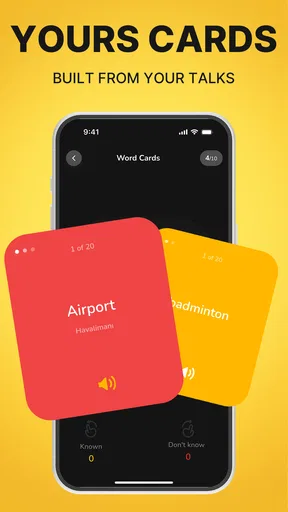

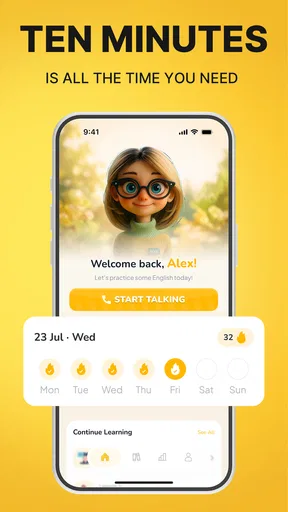
 Analysis by AppCompare
When I have a spare few minutes and want to practise English out loud, the hardest part is often getting started. I might know the words on a screen but hesitate when I need to say them. Hilingo: Learn & Speak English is aimed at that gap: it is an education app for beginners that puts daily speaking practice and AI feedback at the centre. I see its appeal less as a replacement for a full English course and more as a way to turn small, otherwise unused pockets of the day into speaking practice.
From a spare moment to a speaking habit
I look at a spare moment as a chance to make speaking practice feel routine rather than like a major study session. In this section, I’d focus on choosing a small, practical aim before opening the app, so each attempt has somewhere to go. That simple starting point leads naturally into how I would turn a few minutes into a repeatable speaking loop.
Start with a manageable goal
A useful way to approach Hilingo is to decide what you want from a session before opening it. If the goal is simply to speak more comfortably, a brief practice attempt is worthwhile even when you are tired or short on time. If you need to prepare for a particular conversation, keep that situation in mind and treat practice as rehearsal rather than a complete lesson.
That distinction matters for beginners. A large textbook or an open-ended conversation partner can feel intimidating when you are still searching for basic words. A guided speaking activity, by contrast, gives you a reason to say something and a response to work with. The app’s emphasis on daily practice makes it easier to think in repeatable sessions instead of waiting for a long, perfectly quiet study period.
I would start somewhere private enough to speak without feeling self-conscious. A quiet room, a walk with little background noise, or a break at home is more suitable than a busy bus or shared office. Speaking practice depends on being willing to try, and the environment can make that first attempt feel either ordinary or awkward.
Speak first, then use the feedback
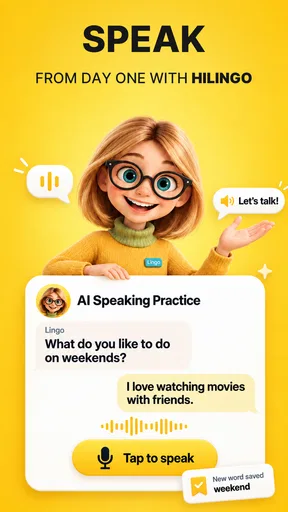
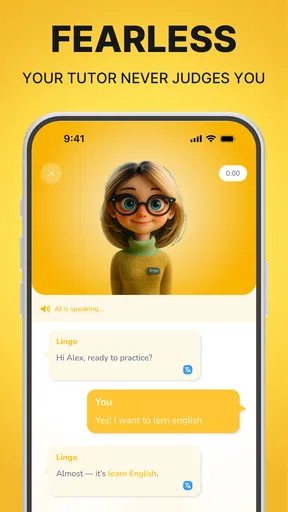
The core loop is straightforward in principle: practise speaking, receive AI feedback, and use that response to make another attempt. That immediate handback is the important part. With a book, a video, or a vocabulary list, you can study English without discovering whether you can produce a phrase aloud. Hilingo asks you to cross that line from recognition to speaking.
For a beginner, I would avoid treating feedback as a grade on your overall ability. Instead, use it as a prompt to notice one thing at a time. If a response points you toward a clearer pronunciation or a more natural phrase, repeat the sentence and focus on that change. Trying to fix every possible issue at once can turn a helpful nudge into a discouraging checklist.
Worth Reading Before You Choose

Switching to Android Auto Means Rethinking Your Driving Routine

Google Calendar Makes a Crowded Week Easier to Manage

Baby Panda World Brings Quick Play to Modern Phones, but Its Game Library Feels Busy

ESPN’s Live Game View Makes Following Close Games Easier

QuizzLand Review: A Good Fit for Short Trivia Breaks, Not Every Player

Basketball Stars: Multiplayer Is Fast, but Can It Recover When Matches Go Wrong?
A practical routine is to make one attempt, pause long enough to understand the feedback, then say the phrase again without rushing. If a correction still feels unclear, write down the expression and revisit it later with a dictionary or a trusted learning resource. The app can make practice more interactive, but a learner still has to decide which feedback is useful and how to apply it.
Fit practice around an ordinary day
One realistic use case is preparing for a familiar interaction, such as introducing yourself, asking for help, or explaining a simple need. Before an appointment or a trip, I would practise a few sentences connected to that situation, then try to say them without reading. The benefit is not memorising a perfect script; it is making the first words easier to retrieve when the real conversation arrives.
Another good moment is after a conventional lesson. If you have just learned a handful of words, speaking them aloud soon afterward helps expose which ones you can actually use. This is a useful handoff from passive study to active recall: keep the new vocabulary nearby, attempt a short spoken response, and note the words that disappear under pressure. That list becomes a sensible focus for your next study session.
Hilingo is free to start, which lowers the barrier to testing whether this practice style suits you. It also offers in-app purchases priced from $4.99 to $49.99 per item, so I would check the purchase details in the app before committing to anything. If you only want to try the basic speaking routine, begin without assuming that paid options are necessary; decide later whether any purchase matches a specific need.
Use the feedback as a handoff, not the whole lesson
The most productive workflow does not end when the AI responds. I would carry one useful correction into a real-world task: say the revised phrase again later, use it in a short note, or practise it before speaking with someone. That handoff matters because an app interaction can feel successful while the language remains tied to the screen.
For example, if I am practising how to ask a question, I would keep the corrected wording short enough to remember and use it in a low-pressure conversation when the chance comes up. If there is no immediate opportunity, I would still try to recreate the sentence from memory later. This makes the session a bridge between prompted practice and independent speech, rather than a self-contained exercise that disappears as soon as I close the app.
There is also a useful way to combine it with slower study. Use a grammar explanation or dictionary when you need to understand why a phrase works; use Hilingo when you need to practise saying it. Those tools answer different questions. An AI response can help you notice how your spoken attempt landed, while a reference resource is often better for a careful explanation of grammar, word choice, or exceptions.
What the result can realistically look like
The likely payoff is more willingness to speak and a clearer sense of which phrases feel difficult to produce. That is valuable, especially for someone who understands simple written English but freezes when asked to respond. Daily repetition can make speaking feel less like a performance and more like a normal part of learning.
I would not expect a speaking app alone to build every skill. Reading, listening to a range of speakers, learning grammar, and having unscripted conversations all contribute something different. AI feedback is also not the same as a patient human teacher who can ask follow-up questions, understand your goals, and explain a subtle mistake in context. Hilingo makes the practice loop more accessible; it does not remove the need for broader exposure.
The app has an average rating of 4.7 from around 8,200 ratings, and it has been installed over a million times. Those figures suggest that many people have tried it, but they cannot tell me whether its approach will fit a particular learner. I would judge it by a more personal test: after a few sessions, do you find it easier to start speaking, and do the responses help you choose a useful next attempt?
Where the workflow can break down
Speaking practice needs a setting where you can talk comfortably. If you can only study in public, do not want to speak aloud around other people, or have a connection that makes interactive use inconvenient, the central activity may be hard to fit into your routine. In those moments, reading, flashcards, or quiet listening exercises may be a better match until you have a suitable time and place.
There is a second limitation: instant feedback can encourage learners to chase a polished answer instead of communicating. In real conversation, getting the meaning across matters, and not every sentence needs to sound perfect. I would use corrections selectively, especially when they improve clarity or fix a recurring problem, rather than stopping after every phrase to inspect it.
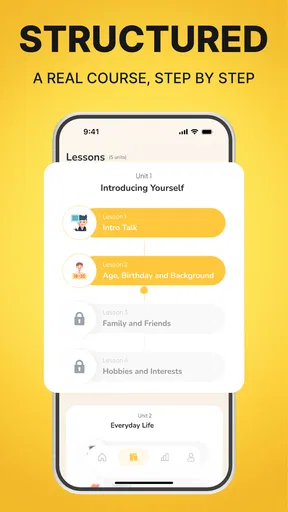
Beginners who need a carefully sequenced curriculum, detailed grammar instruction, or regular human correction may prefer a course or teacher that provides those things directly. Likewise, advanced learners preparing for nuanced professional discussions may find beginner-focused practice too basic for their goals. Hilingo makes most sense when the immediate need is speaking confidence and repeated practice, not comprehensive instruction or expert-level coaching.
Who I would recommend it to
I would suggest trying Hilingo if you are starting English, know that you need to speak more often, and are willing to practise in short, repeatable sessions. Its daily focus can help turn an intention into an action, while AI feedback gives you something to respond to rather than leaving you to wonder whether your attempt was useful. Pera Soft develops the app, and the current version is 2.1.2; it is rated for Everyone and requires Android 7.0 or later.
I would be more cautious if you want a full course in one place, prefer silent study, or need a human to explain every correction. In those cases, Hilingo can still complement another method, but I would not make it the only one. It is also sensible to check that the available practice and any optional purchases fit your learning routine before spending money.
My overall view is that this is a focused option for turning beginner English into something you actually say. The strongest way to use it is to arrive with a small purpose, speak without overthinking, take one useful point from the feedback, and carry that point into a later conversation or study session. If that cycle sounds appealing, the free starting point makes it easy to see whether it suits you. If your priority is a structured syllabus or detailed personal tutoring, choose a more comprehensive resource and use speaking practice as one part of the plan.
A small routine that makes feedback easier to use
I would keep a simple record outside the session: one phrase that felt difficult, one useful correction, and one place to try it again. This is not meant to become another elaborate study system. It gives each practice attempt a clear destination and makes it easier to tell whether the same hesitation is returning. If a phrase keeps slipping away, that is a good signal to revisit its vocabulary or structure rather than repeating it mechanically.
For a realistic morning workflow, imagine getting ready for a short appointment where you may need to explain why you are there. I would practise a concise introduction and one question, listen to the response from the app, then try the revised wording from memory while doing another routine task. Later, I could use the line in the actual conversation or adapt it if the exchange takes an unexpected turn. The useful outcome is not a flawless performance; it is having a starting point ready when nerves might otherwise take over.
Choosing it alongside other learning tools
Compared with a flashcard app, Hilingo is a better fit when the sticking point is producing language aloud, not remembering a translation. Compared with lessons built around grammar explanations, it puts more weight on trying a spoken response than on understanding a rule first. A human tutor remains the stronger choice when you need tailored follow-up questions, detailed correction, or practice that can quickly shift with your personal goals. I would combine rather than force a choice: use a reference or course to build understanding, then use speaking practice to find out what you can retrieve in the moment.
One question beginners often have is whether they need to prepare before opening a speaking app. I would not make preparation a requirement; the point is to practise producing language, including the bits you do not yet know smoothly. Still, keeping a current lesson’s vocabulary nearby can make a session more focused. Another practical question is whether it can replace conversation with people. I would treat it as rehearsal, not a substitute: it can help you get words moving, while real people bring interruptions, varied accents, and changing context that an app cannot fully stand in for.
Make the trial useful before deciding
Since the app is free to begin and includes optional purchases, I would use the first sessions to check fit rather than chase a broad promise of fluency. Ask yourself whether you can find a comfortable place to speak, whether the feedback leads to a clearer second attempt, and whether you can carry at least one phrase into the rest of your day. Those are practical signs that this particular format is helping. If you keep avoiding the speaking part, or need explanations the feedback does not provide, a quieter or more structured resource may be a better use of your time.
Hilingo is an Android education app from Pera Soft, with a current average of 4.7 from around 8,200 ratings and more than a million installs. It is free to download, rated for Everyone, and its current version is 2.1.2; Android 7.0 or later is required. In-app purchases range from $4.99 to $49.99 per item. For me, the deciding question is whether regular spoken attempts are the missing link in your English routine. If so, its focused practice can be a useful companion; if you need a full syllabus, silent lessons, or close human guidance, I would choose another main resource.
Pros
- Short lessons make it easier to practise English during small breaks.
- Speaking exercises encourage active use rather than passive study alone.
- A simple format can help beginners build a consistent learning habit.
- Useful for reviewing everyday vocabulary and common expressions.
- Can complement classroom learning with convenient mobile practice.
Cons
- Speech recognition may not understand every accent or pronunciation.
- Some lessons or features may require a paid subscription.
- Limited explanations may leave grammar questions unanswered.
- Progress depends on regular practice; brief sessions may not build fluency alone.
- Requires an internet connection for some content or features.
FAQs for Hilingo: Learn & Speak English
What is Hilingo: Learn & Speak English?
Hilingo is an English-learning app designed to help users build language skills through lessons and practice activities. Its focus is on learning and speaking English, so it may suit learners who want to study on a phone at their own pace. Before downloading, check the app listing for the current lesson formats, supported proficiency levels, and features available in your region, as these can change with updates.
Is Hilingo suitable for beginners?
It may be useful for beginners as well as learners who want to improve existing English skills, but the experience depends on the levels and lesson paths currently offered in the app. Look for placement options, introductory lessons, and clear explanations before starting. If you are learning from scratch, also check whether lessons introduce vocabulary and grammar gradually and provide enough chances to review what you have learned.
Can I practise speaking English with Hilingo?
Hilingo is presented as an app for learning and speaking English, but the exact speaking tools may vary by version. Check its current store description to see whether it includes spoken-response exercises, pronunciation feedback, listening practice, or conversation activities. These features can support regular practice, but an app alone may not provide the depth of feedback or real-life interaction available through conversations with fluent speakers.
Is Hilingo free to download, and does it include paid features?
The download price and available features can depend on your device, country, and the app’s current pricing model. Some language-learning apps offer free lessons alongside subscriptions, in-app purchases, or limits on practice, so review Hilingo’s Google Play or App Store listing before installing. Check the subscription price, billing period, trial terms, and cancellation instructions carefully if the app presents a paid plan.
Does Hilingo work offline, and what should I check before installing it?
Offline access is not guaranteed, so check Hilingo’s current listing or in-app settings to find out whether lessons can be downloaded for use without an internet connection. Before installing, also review device compatibility, required permissions, storage needs, supported languages, and the privacy information. These details help you decide whether the app fits your device and learning routine, particularly if you plan to study while travelling.


